I’ll never forget the moment I realized my new laser TV was giving me more than just stunning visuals—it was literally hurting my eyes. One evening, as I settled into my living room, I noticed a relentless glare that made my head throb and my eyes feel dry and scratchy. Turns out, that overly bright projection was not just a minor nuisance; it was a real problem affecting my comfort and long-term eye health. If you’ve been battling similar issues with your 2026 laser TV, you’re not alone.
Why Brightness Levels Can Turn Your Home Theater Into an Eye Nightmare
Modern laser TVs promise vibrant, cinematic images, but sometimes that promise comes with a hidden cost: excessive brightness. When the projection is too intense, especially in a cozy living room, it can cause eye strain, headaches, and fatigue. The common mistake I made early on was assuming that brighter is always better—believing that maximizing brightness would yield the most vivid picture. Spoiler alert: that approach can backfire, leading to discomfort rather than satisfaction.
Skeptical about Brightness Causing Eye Strain? You’re Not Alone
I initially thought, “How bad can it be?” and cranked up the brightness just to get that perfect, punchy image. But within minutes, my eyes felt strained, and I was yawning more than usual. According to research published by the American Optometric Association, prolonged exposure to high brightness levels can cause digital eye strain, which affects up to 50% of people using digital screens regularly. This was a wake-up call for me—and maybe for you too.
If you’ve faced the frustration of a laser TV that’s just too damn bright during long viewing sessions, worry not. There are practical fixes to dial down that intensity without sacrificing picture quality. In fact, understanding and controlling your projector’s brightness settings can make all the difference, and I’ll show you how in the next sections. Ready to transform your viewing experience and protect your eyes? Let’s get started.
Start with Ambient Light Assessment
Before tweaking your laser TV’s brightness, evaluate your living room’s ambient light. Bright sunlight or strong curtains can force your projector to display higher brightness levels, causing discomfort. Use a light meter app or simply observe how bright your room appears during typical viewing times. If the space is overly bright, consider controlling external light sources with shades or blackout curtains, and then proceed to calibrate your projector accordingly.
Access Your Laser TV Settings
Navigate to your laser TV’s menu. Typically, this involves pressing the menu or settings button on your remote control. Locate the picture or display settings, where brightness controls are generally housed. For specific models, consult the user manual or visit the manufacturer’s support page—often, detailed guides are available at Laser Projector Deals.
Adjust Brightness Carefully
Start by reducing the brightness slider gradually, observing the changes on the screen. Like tuning a musical instrument, small adjustments yield better results. Aim for a middle ground: enough brightness for vivid images but not so much that it strains your eyes. Personally, I found that lowering the brightness by about 15-20% from the maximum significantly reduced eye strain without sacrificing image clarity. Remember, each room and setup is unique, so take your time to find the optimal setting.
Understand Your Projector’s Gamma and Contrast
Some laser TVs also allow adjustment of gamma and contrast. Increasing contrast makes black levels darker, which can enhance perceived brightness without increasing actual luminance. Conversely, lowering gamma can prevent overly harsh images. Experiment with these settings to complement your brightness adjustments. For instance, I reduced gamma slightly and increased contrast to enhance picture depth while minimizing glare.
Leverage Picture Mode Presets
Many models come with preset modes like “Cinema,” “Vivid,” or “Standard.” Choose or customize a mode that emphasizes softer visuals, reducing glare and eye strain. I personally switched to a “Dark Room” preset during evening viewing, which reduced overall brightness and made watching more comfortable. Don’t hesitate to create a custom profile; it saves time and ensures repeatable results.
Implement Continuous Calibration
Calibrating your laser TV isn’t a one-time task. Revisit brightness settings periodically, especially if you change ambient lighting conditions or upgrade your projector. A quick calibration session can prevent discomfort and extend your device’s lifespan. Remember, consistent calibration ensures you enjoy optimal picture quality while safeguarding your eyes.
If you’re considering other ways to fine-tune your setup, explore options like screen materials or additional ambient light control at ambient light tips for UST projectors, which can further improve your viewing comfort and image quality.
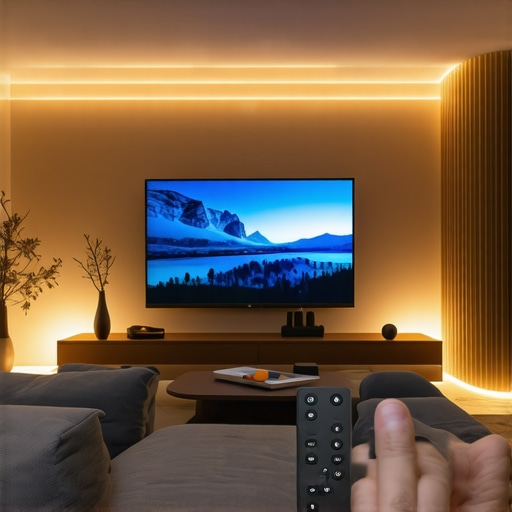 When it comes to home theater setups, there’s a widespread belief that picking the brightest projector or the largest screen guarantees cinema-quality visuals. However, as an expert in projector calibration, I can tell you that most enthusiasts overlook the subtleties that truly make or break your experience. For example, many think a short throw projector inherently solves ambient light challenges, but without proper calibration and screen choice, you might still face washout or glare issues. This misconception often leads users to invest in expensive equipment only to be disappointed by performance in real-world conditions.
One common myth is that laser TVs automatically outperform UST (Ultra Short Throw) projectors in all settings. While lasers offer high brightness and color accuracy, their effectiveness heavily depends on room lighting, screen material, and setup calibration. Overestimating their capabilities can result in improper expectations and subpar picture quality. In fact, studies from the Society of Motion Picture and Television Engineers emphasize that ambient light management is crucial, regardless of your display technology.
Moreover, a dangerous trap is believing that ambient lighting conditions are static. Room lighting varies throughout the day and season, yet many ignore this variability when calibrating their projectors. Failing to adapt your settings accordingly can lead to eye strain, washed-out images, and frustration. For instance, a setup optimized during twilight can become unusable in midday sunlight if you don’t adjust contrast, brightness, or employ light control solutions.
What about the advanced nuances that can elevate your setup? Understanding the impact of screen gain, surface texture, and projector placement angle is critical. For example, high-gain screens might boost perceived brightness but at the expense of viewing angles and color accuracy. Similarly, the alignment of a short throw lens influences image sharpness and keystone distortion, which many users neglect until they start noticing blurriness or trapezoidal images—errors that can be avoided with precise calibration.
To optimize your home theater, you need to engage with these subtle factors rather than relying solely on generic settings. Regular calibration, room light assessment, and proper equipment positioning are key. If you’re curious about the latest advances and how to avoid common pitfalls, I recommend exploring our comprehensive guide on living room projectors and ambient light solutions. It’s packed with practical tips to prevent the typical ‘oops’ moments.
Have you ever fallen into this trap of oversimplification? Let me know in the comments. For tailored advice, feel free to contact us or check out our top picks for living room setups in 2025.
Tools That Keep Your Setup Running Smoothly
Investing in quality tools is essential for the ongoing calibration and maintenance of your living room projector. I personally rely on a digital colorimeter, such as the X-Rite i1Display Pro, which provides precise readings of color and luminance levels, ensuring consistent image quality over time. Paired with calibration software like CalMAN or LightSpace, these tools allow me to fine-tune projector settings with unbeatable accuracy, even after months of use. Regularly measuring ambient light levels with a colorimeter helps me adjust contrast and brightness dynamically, maintaining optimal picture clarity in changing room conditions.
Another invaluable tool is a remote control with programmable macros, which simplifies frequent adjustments to picture modes or gamma settings during different viewing scenarios. Additionally, a small, adjustable tripod allows for quick and consistent placement of measurement devices, streamlining calibration sessions. Investing in these tools may sound technical, but they’re a worthwhile expansion for enthusiasts committed to long-term quality.
Routine Checks and Calibration Practices
Scheduled maintenance is crucial to keep your projector performing at its best. I recommend calibration every 3 to 6 months, especially if ambient lighting conditions fluctuate throughout the year. This includes re-measuring room light levels, inspecting the lens for dust or smudges, and verifying color accuracy. When adjusting settings, start with low-impact tweaks to avoid overcompensation. For example, I typically start by re-calibrating gamma and contrast before making drastic brightness adjustments, since these have a more subtle but impactful effect on image quality and eye comfort.
For those who lack professional calibration experience, calibration discs like the Spears & Munsil Benchmark Blu-ray provide guided adjustments that are accessible and effective. Utilizing these, along with a colorimeter, helps maintain consistent calibration without frequent expert visits. Remember, a well-maintained projector not only prolongs its lifespan but also ensures your viewing experience remains immersive and eye-friendly.
Scaling Up Without Sacrificing Quality
As your home theater grows, the importance of maintenance becomes even more evident. Larger screens and higher resolutions demand meticulous calibration to avoid issues like image washout or color degradation. To scale your setup effectively, consider investing in an automatic calibration system, which can quickly adjust projector parameters based on room lighting or content type. While these systems represent a higher upfront cost, they offer consistent fine-tuning, saving you time and effort in the long run.
Furthermore, upgrading your ambient light management with smart window shades and directed lighting enhances the stability of your calibration, facilitating easier long-term maintenance. With this strategic approach, you ensure your projector continues delivering high-quality visuals, whether in a cozy corner or a sprawling media room.
How Do I Maintain My Living Room Projector Over Time?
Maintaining your projector requires a combination of regular calibration, proper cleaning, and strategic environmental control. Regularly measure and adjust your device’s settings with precise tools like a colorimeter, and keep lenses and filters dust-free to prevent image degradation. Adapting your setup to seasonal light changes by recalibrating ensures consistent image quality. Additionally, protecting your investment with surge protectors and humidity controls extends the lifespan of your equipment. For detailed maintenance routines, visit our page on calibration tips and tricks. Don’t wait for issues to arise—be proactive and keep your projector performing at its peak to enjoy stunning visuals and protect your long-term investment. To explore specific tools I trust, check out our recommended equipment at best laser TVs for ambient-light-rich environments. Start implementing these maintenance practices today, and your home theater will reward you with years of flawless performance.
The Hardest Lesson I Learned About living room projector,ambient light,short throw projector,laser tv,ust projector
One of my most eye-opening realizations was that a high-end laser TV isn’t truly optimal unless you calibrate it carefully to your unique room conditions. I used to believe that maximizing brightness would always yield striking visuals, but I quickly learned that overly bright settings not only strain your eyes but also diminish contrast and color accuracy. The key lesson? Balance is everything—finding that sweet spot where your projector’s brightness complements your ambient light without causing discomfort or washing out the image.
3 Myths About living room projector,ambient light,short throw projector,laser tv,ust projector That Held Me Back
- Myth 1: The brighter, the better. – I thought that increasing brightness would enhance picture clarity, but I overlooked the impact on eye comfort and black levels.
- Myth 2: Ambient light doesn’t matter. – I used to assume my projector could handle any light environment, ignoring the importance of room lighting assessment and control.
- Myth 3: Calibration is a one-time task. – I believed once properly calibrated, settings would stay fixed; in reality, room conditions fluctuate, requiring periodic adjustments.
What Experts Won’t Tell You About living room projector,ambient light,short throw projector,laser tv,ust projector
Many professionals understand that ambient light management is the secret sauce for optimal projector performance, but they rarely share how often small adjustments can dramatically improve your viewing comfort. For instance, switching to blackout curtains or adding bias lighting can reduce eye strain and improve contrast. Additionally, understanding the interplay between gamma, contrast, and brightness—beyond factory presets—can unlock a richer, more comfortable cinematic experience tailored precisely to your room.
How I Finally Gained Control Over My Living Room Visuals
By systematically assessing ambient lighting during different times of day, using precise tools like a colorimeter, and adjusting calibration settings regularly, I mastered the art of balancing brightness for comfort and vibrancy. It was a game-changer that allowed me to enjoy longer viewing sessions without eye fatigue. Remember, your setup is unique—embrace the iterative process of calibration to discover what truly works best for your space.
Tools That Keep Your Living Room Film Experience Sharp
Investing in a quality calibration device like the best laser TVs for ambient-light-rich environments means you’ll understand your projector’s true capabilities and prevent gradual image quality decline. Pair this with calibration software such as CalMAN or LightSpace, which simplifies fine-tuning. Besides digital tools, simple environmental upgrades like adding dimmable lights or blackout curtains make a tremendous difference in maintaining consistent, eye-friendly visuals.
Stay Ahead by Refining Your Habits
Regular calibration isn’t just for tech enthusiasts—it’s a component of genuine home theater enjoyment. Set reminders every few months to re-measure ambient light and adjust your projector settings accordingly. Maintaining a clutter-free environment and cleaning lenses periodically also ensures your visuals stay crystal-clear. Small, consistent efforts pay off: your eyes will thank you, and you’ll enjoy cinematic quality day after day.
The Future of living room projector,ambient light,short throw projector,laser tv,ust projector
The journey to perfect visuals is ongoing. As technology advances, so do our opportunities to customize and optimize viewing environments. Innovative solutions like adaptive brightness controls, smarter ambient light management, and AI calibration tools are already shaping a future where achieving cinema-grade images becomes effortless. I invite you to stay curious, experiment regularly, and invest thoughtfully—because mastering your living room projector experience transforms more than just visuals; it enhances your entire home entertainment life.
Leave a Reply