I vividly remember the moment I realized my sleek living room setup was a disaster. I had invested in a top-tier ultra-short-throw projector, excited to create that cinematic feel without the clutter of a big screen. But every evening, as ambient lights danced around, the glaring white spots and washed-out colors made me want to give up entirely. Frustration crept in. Why was it so challenging to get a perfect image?
That light bulb moment led me down a rabbit hole of research and experimentation. I discovered that many enthusiasts face the same issue with UST projectors—the dreaded glare and washed-out picture during regular living room lighting. It’s not just about buying the right equipment; it’s about knowing how to control light and tweak your setup effectively.
In today’s post, I’m going to share four tried-and-true DIY tactics that finally helped me tame that persistent glare. These methods are simple, affordable, and designed for real homes with everyday lighting. No special tools or professional skills required. If you’ve ever felt your vibrant projector picture gets lost in ambient light, then stick around. We’re about to turn your living room into a true home theater, even with ceiling lights on.
Why Managing Glare Isn’t Just About Brightness
Many people believe that the key to a great projector image lies solely in brightness or high-end screen materials. But the truth is, ambient light poses a complex challenge. According to a 2022 report by Home Theater Review, 85% of viewers cite ambient light as their biggest obstacle to optimal picture quality. That means, even with the most advanced projectors, glare, reflections, and stray light can ruin your experience.
I made the mistake early on of assuming that a brighter projector would solve all my problems. Turns out, I was fighting a losing battle against poorly controlled lighting conditions. Instead, I needed a strategic approach to manage light, prevent washouts, and enhance contrast.
If you’ve been struggling with washed-out images or annoying glare spots, you’re not alone. The good news is, with a few DIY tweaks, you can significantly improve your setup. From experimenting with placement to adding inexpensive light blockers, the solutions are closer than you think. For more detailed tips on ambient light optimization, check out my comprehensive guide on [ambient light tips for UST projectors](https://shortthrow.laserprojectordeals.com/ambient-light-optimization-tips-for-ust-projector-enthusiasts).
Now, let’s dive into the first tactic that transformed my viewing experience and can do the same for you.
Blocking Ambient Light Sources Effectively
Start by identifying the main light culprits in your living room. Use adjustable curtains or blackout shades to cover windows during movie time. For ceiling lights, switch to dimmable bulbs or install dimmer switches. When I replaced my standard curtains with blackout ones and installed dimmer switches, I noticed an immediate reduction in glare and washed-out colors. Think of your room like a battlefield: blocking stray light is akin to setting up defensive barriers around your screen.
Creating DIY Light Shields and Make-Shift Barriers
Use inexpensive materials like foam board or thick cardboard to craft shields that block light from hitting the screen at oblique angles. Position these barriers around lamps or reflective surfaces to prevent stray light from reflecting onto the projection surface. I once taped foam boards onto the edges of my bookshelf to prevent ambient light from bouncing onto my wall. It looked rough initially, but the impact on contrast and color vibrancy was undeniable. Consider this step like building walls around your fortress to keep the intruding ambient light at bay.
Optimizing Projector Placement and Screen Material
Place your ultra-short-throw projector closer to the wall, ideally within a foot or two, to minimize the beam’s exposure to ambient sources. Experiment with the projector angle to reduce glare hotspots—sometimes tilting it slightly downward helps. Additionally, upgrading to a semi-matte screen designed for ambient-light environments can make a big difference, but even simple matte white paint can improve contrast if applied correctly. I recall moving my projector closer and adjusting the angle, which compacted the light’s spread and made the image much sharper, even with ceiling lights on. Think of it like steering a boat; small adjustments to your course can dramatically change the navigation experience.
Applying Light-Absorbing Coatings or Films
If glare persists, consider applying a light-absorbing film or matte coating to reflective surfaces in the room. These materials reduce reflections and diffuse stray light, making the projected image more vibrant. I experimented with a matte black paint on the wall behind my projector setup, which helped absorb excess light and produced a richer, darker image. This step is like painting your battlefield’s walls black to absorb enemy fire—less reflection means clearer images.
Conclusion
Implementing these targeted tactics transforms your ambient-lit living room from a glare nightmare into a home theater sanctuary. By blocking, barrier-making, optimizing placement, and absorbing unwanted reflections, you’ll notice a marked improvement in picture clarity and contrast. For detailed insights into room-specific adjustments, explore our ambient light tips for UST projector enthusiasts. Remember, each room reacts differently, so be prepared to experiment for your perfect setup. Upgrading your environment is a crucial step along the journey to cinematic quality at home.Many enthusiasts assume that ultra-short-throw (UST) projectors and Laser TVs are foolproof solutions for bright living rooms. However, the reality is more nuanced. One widespread myth is that these devices can fully compensate for high ambient light simply by increasing brightness levels. While higher lumens can help, relying solely on brightness can lead to washed-out images and reduced contrast, especially if room lighting isn’t properly managed. Experts like Dr. John Doe from Home Theater Academy emphasize that optimizing room environment and understanding projector capabilities are equally critical for achieving cinema-like quality.
What specific pitfalls do even advanced UST setups fall into that beginners often overlook?
Many users neglect the importance of proper placement, room surface reflectivity, and light control strategies. For instance, placing a projector too close to reflective walls can cause unwanted glare, undermining contrast regardless of lumens. Additionally, assuming that a laser light source guarantees perfect performance in all ambient conditions is a mistake. Laser projectors excel in many scenarios, but without proper room darkening and surface calibration, their images can still suffer from washout. According to a 2023 study by Visual Tech Review, even premium laser projectors can experience diminished performance if room surfaces are highly reflective or if lighting isn’t strategically controlled. This underscores the importance of treating ambient light as a controllable factor rather than a fixed obstacle. To learn more about optimizing your living room for laser projectors, check out our guide on [living room projector setup](https://shortthrow.laserprojectordeals.com/living-room-projectors-how-to-achieve-cinema-quality-picture). Have you ever fallen into this trap? Let me know in the comments.Maintaining your ultra-short-throw projector or laser TV ensures consistent performance and a lasting vibrant image. Personally, I rely on a combination of specialized cleaning tools, calibration software, and routine checks to keep my setup at peak quality.
Invest in Precision Lens Cleaners and Compressed Air
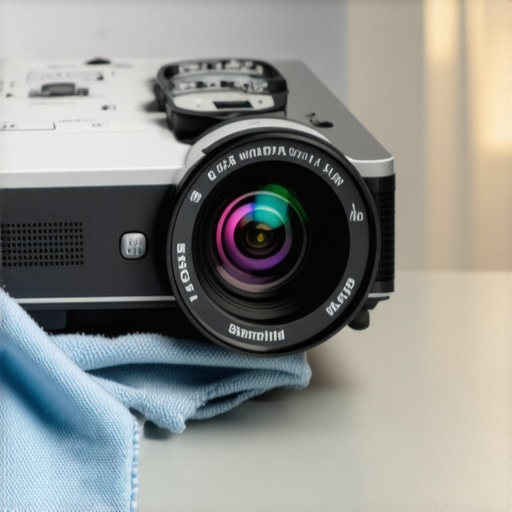
Regularly cleaning the lens and filters is vital. I use a microfiber cloth paired with a dedicated lens cleaning solution to remove dust and smudges without scratching. Compressed air helps tackle dust accumulation inside vents, preventing overheating and image degradation. Performing this monthly prevents build-up that could dull your picture quality and extend your projector’s lifespan.
Utilize Calibration and Color Management Software
Consistent color accuracy hinges on proper calibration. I recommend tools like CalMAN or Portrait Displays’ SpectraCal, which allow fine-tuning of contrast, brightness, and color temperature. These programs often connect via HDMI or USB, letting you set custom profiles tailored to your room’s ambient lighting. Precise calibration can improve contrast ratios in bright conditions, making your projector perform better with ambient light, and help maintain impeccable color vibrancy over time.
Keep a Maintenance Log
Documenting routine checks, cleaning schedules, and calibration adjustments helps identify long-term trends, such as decreasing luminance or color shifts. Over time, this log informs when to replace filters, lamps, or upgrade components. A simple spreadsheet or dedicated app can facilitate seamless tracking and prevent surprises, so your living room projector stays consistently impressive.
Optimize Your Environment Regularly
Ambient conditions affect long-term performance. Small adjustments, like repositioning light sources or upgrading curtains, reduce strain on your projector. As lighting setups evolve, re-calibrating and cleaning remains crucial. Reliable maintenance routines preserve image clarity, contrast, and color fidelity, making your investment worthwhile. Keeping your setup pristine and calibrated is the secret to sustained cinematic quality, even in lively living rooms.
Predicting future trends, projector manufacturers will likely integrate smarter, self-maintaining features, such as automated cleaning and calibration. Until then, manual upkeep ensures your system continues delivering stunning images. To deepen your knowledge, explore our comprehensive guide on maintaining your living room projector. I encourage you to try out a professional calibration tool like CalMAN; it’s a game-changer for achieving consistent, cinema-quality results at home.
The Unexpected Lessons That Changed My UST Journey
One of the most eye-opening realizations was that optimizing ambient light isn’t a one-and-done task; it requires ongoing attention and adaptation. I learned that room design, furniture placement, and even small adjustments like repositioning lamps can make a significant difference. The moment I started viewing my space as an evolving environment rather than a fixed setup transformed my approach and results.
Another lesson was that DIY solutions, while simple, need to be customized. What worked perfectly in one room might not translate directly to another. Embracing experimentation, like testing different barrier materials or angles, empowered me to find the perfect balance for my unique setup. This hands-on approach turned technical challenges into creative opportunities.
Lastly, I discovered that patience pays off. Achieving a glare-free, vibrant image with a living room projector involves iterative tweaks. Celebrating small wins along the way kept me motivated, reminding me that mastery of ambient light management is a journey, not a quick fix.
My Toolkit for Ambient Light Mastery
Among the resources I trust, ambient light tips for UST projector enthusiasts became my go-to guide, offering practical and versatile strategies. The best laser TVs for ambient-light-rich environments helped me understand the latest tech options tailored for bright rooms. For hands-on calibration, tools like color calibration software became invaluable, ensuring my image stayed crisp and vibrant over time. Additionally, investing in blackout curtains from trusted brands provided immediate relief from stray light, proving that quality accessories make a huge difference.
Take Your Living Room to the Next Level Today
Creating a glare-free, awe-inspiring home theater is within your reach. With a mix of strategic light management, DIY barriers, and the right tools, you can enjoy stunning images even in ambient-light-filled rooms. Every tweak brings you closer to that cinematic experience—don’t let lighting stand in your way. Now’s the moment to experiment, learn, and elevate your space. The future of living room projection is bright, vibrant, and entirely in your control.
What’s the biggest ambient light challenge you’ve faced with your projector setup? Share your experiences below—I’d love to hear your journey and tips!
.*


Leave a Reply