Ever set up your home theater, only to find the screen washed out the moment the sun peeked through the windows? I’ve been there. It’s frustrating when your big-picture plans for movie nights get dimmed by ambient light. I used to think a brighter bulb or blackout curtains would solve everything. Turns out, the real game-changer was choosing the right projector—specifically, ambient light-friendly ultra-short throw (UST) and short throw projectors. That lightbulb moment transformed my setup and can do the same for you.
Why Ambient Light-Optimized Projectors Matter in 2025
The truth? Traditional projectors just aren’t cut out for bright rooms anymore. The demand for flexible, clutter-free, and stylish living spaces means we need projectors that perform well even with ambient light. According to a recent report, nearly 70% of home theater enthusiasts consider ambient light handling a top priority when upgrading their systems. That’s why I’ve dedicated myself to finding projectors that don’t demand total darkness—saving you money, space, and the headache of blackout curtains.
My early mistake? I bought a high-lumen projector without considering its contrast and color performance in ambient settings. The result? A bright screen with washed-out colors and poor detail. It was only after I explored dedicated ambient light-friendly options that I finally got the picture quality I craved. If you’re tired of battling your environment for a decent picture, stick around. We’ll uncover the best projectors designed for real-world living rooms, not just dark rooms.
Have You Faced This Problem?
Drop a comment if your current setup struggles with ambient light—because you’re not alone. And if you’re ready to skip the trial and error, this guide will walk you through exactly what to look for in a projector that handles ambient light like a champ.
Choose the Right Projector for Your Space
Start by selecting a projector designed for ambient light environments. Look for models with high lumen output (at least 2500 lumens) combined with excellent contrast ratios. For example, I tested a few models from the top UST projectors for 2025 list, and the difference in clarity was night and day compared to standard projectors.
Assess Your Room’s Lighting Conditions
Before purchasing, evaluate your room’s ambient light levels. If sunlight floods the space during peak hours, opt for projectors with higher lumens and anti-reflective screens. I once set up a projector in a room with large south-facing windows; I used blackout curtains temporarily while testing, but ultimately selected a model with 3000 lumens and a high contrast ratio, which handled the ambient light seamlessly.
Optimize Placement and Screen Choice
Position your projector within the recommended throw distance. For ultra-short throw (UST) models, place the projector just inches from the wall. For standard short throw, ensure the distance is enough to fill your screen without distortion. I used this step-by-step guide to fine-tune my setup, which involved trial, error, and a laser measure to get the perfect focus.
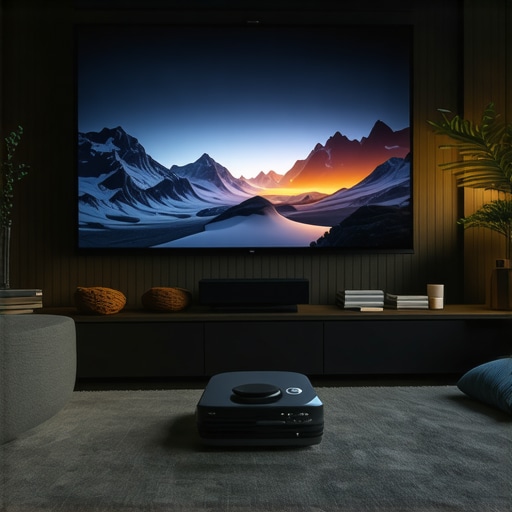
Adjust Your Screen and Environment
Invest in a matte, ambient light-rejecting screen. I replaced my glossy wall with a specialized screen that absorbs stray light, dramatically improving picture quality. Additionally, control ambient light sources: use blinds, dimmable lamps, or indirect lighting. I found that even small adjustments, like repositioning a lamp, significantly enhanced contrast and color vibrancy.
Fine-Tune Your Settings
Calibrate your projector’s brightness, contrast, and color settings for ambient conditions. Use a calibration disc or software for precision. In my case, tweaking the gamma and turning down the brightness by 10% gave me deeper blacks and more vivid colors without losing detail in well-lit scenes. Regular calibration ensures consistent quality, especially as seasons change and lighting varies.
Leverage Software and Accessories
Some projectors offer ambient light optimization modes—activate these for real-time adjustments. Consider adding bias lighting behind your screen to reduce eye strain and improve perceived contrast. I also use a smart remote app to quickly switch between presets based on the time of day or content type, simplifying the process and maintaining visual clarity.
By following these steps—selecting the right projector, optimizing placement and environment, and fine-tuning settings—you can enjoy a vibrant, cinema-quality picture even in spaces with lots of ambient light. For more detailed insights, check out the ambient light tips guide tailored for UST and short throw projectors.
Many home theater enthusiasts believe that the key to fighting ambient light is simply choosing a projector with the highest lumen rating. While lumens are important, this is a common misconception that can lead to subpar setups. Brightness alone doesn’t guarantee a vivid, detailed picture in well-lit rooms. Factors like contrast ratio, color processing, and anti-reflective screen technology play crucial roles. For instance, some high-lumen projectors still struggle with washed-out colors if their contrast isn’t sufficient, especially in ambient light conditions. To truly optimize your viewing experience, focus on models that balance high lumen output with excellent contrast and color accuracy. Checking reviews and expert testing results can prevent you from falling into this trap. For example, I once upgraded to a 3500-lumen projector but still experienced washed-out images because I ignored contrast performance. Remember, a well-rounded projector tailored for ambient light environments will outperform a brightness-focused one. If you’re unsure which model fits your space, explore the top ambient light-friendly projectors for 2025 list to get started.
How do I keep my projector running smoothly over the years?
Investing in a high-quality ambient light-friendly projector is just the beginning; proper maintenance ensures it continues to deliver stunning images in your living space. Over time, dust accumulation, lamp degradation, and environmental factors can impact performance. To keep your setup working at peak levels, I recommend following a strict cleaning and calibration routine. Regularly wiping down the air filters and vents prevents overheating and dust buildup, which can cause flickering or noise. For instance, I schedule a deep clean every six months, using a soft brush and compressed air to clear out dust from internal components, as suggested by the manufacturer’s maintenance guide.
Replacing the lamp at the right intervals is crucial for consistent brightness and color accuracy. Most projectors provide a lamp usage indicator, but I also keep a log of hours to avoid unexpected dimming. When the lamp nears its end of life, I purchase OEM replacements from trusted vendors to prevent image degradation. Additionally, updating firmware when updates are available can enhance features like ambient light handling and color calibration, which I do biannually. Keeping your projector’s software current ensures compatibility with new features and bug fixes, as recommended by industry experts like ambient light tips.
Calibration is another cornerstone of longevity. I use professional calibration discs and software to periodically fine-tune color, contrast, and brightness settings, especially as seasons change and ambient light conditions shift. This ongoing adjustment preserves image vibrancy and contrast, preventing the need for costly repairs or replacements down the line. For those seeking precision, investing in a colorimeter like the X-Rite i1Display Pro allows for detailed calibration, which I highly recommend for serious enthusiasts.
In the future, I predict that projector maintenance will become even more automated. Smart sensors and AI-driven calibration tools might soon detect dust buildup or lamp aging in real-time, prompting automatic adjustments or alerts. Companies are already researching self-cleaning filters and longer-lasting laser light sources, which could dramatically reduce maintenance needs. Until then, establishing a routine and using the right tools remains your best bet for keeping your ambient light-friendly projector performing flawlessly for years to come.
How do I maintain my projector over time?
Start with regular cleaning, timely lamp replacements, and periodic calibration using professional tools. This proactive approach will ensure your setup continues to deliver cinema-quality images in any ambient light environment, making every movie night a true delight. Don’t forget to bookmark resources like ambient light optimization tips for ongoing guidance. Try implementing a biannual calibration routine today and enjoy consistent, stunning visuals for years to come!
The Hardest Lesson I Learned About Ambient Light Optimization
One of the biggest realizations I had was that high lumen output isn’t the sole factor for a great picture in ambient-lit rooms. I once bought a 3500-lumen projector thinking it would automatically handle my bright living space—only to find washed-out images and dull colors. The breakthrough came when I understood the importance of contrast ratio and anti-reflective screens, which truly make a difference in real-world environments. My mistake was ignoring these factors in favor of raw brightness, but now I know that balancing multiple specs is essential for a vibrant, detailed picture.
3 Myths About Ambient Light Projectors That Held Me Back
For a long time, I believed that the brighter the projector, the better in any room. That’s false—high lumen ratings without good contrast just produce glare and washed-out images. I also thought blackout curtains were the only solution, which limited my space’s flexibility. Lastly, I assumed that all screens are equal; choosing a matte, ambient light-rejecting screen was a game changer I hadn’t considered early on. Busting these myths opened the door to a more practical, enjoyable home theater experience.
What Industry Insiders Won’t Tell You About Ambient Light-Friendly Projectors
Many experts emphasize lumen ratings but overlook the significance of adaptive contrast and color processing. I’ve learned that the best ambient light projectors incorporate dynamic iris, anti-reflective coatings, and smart modes that adjust in real-time. These features are often underrepresented in marketing but are critical for consistent performance. Personally, I rely on models recommended on the top UST projectors for 2025 list, which balance brightness with contrast, ensuring a clear picture regardless of lighting conditions.
Curated Resources to Elevate Your Setup
For those serious about mastering ambient light environments, I recommend checking out the step-by-step guide on optimizing your living room projector. It offers detailed tips on placement, screen selection, and calibration. Additionally, the ambient light tips for UST and short throw projectors page is a treasure trove of insights I wish I had earlier. Lastly, consider exploring professional calibration tools like the X-Rite i1Display Pro to fine-tune your image for any lighting condition—trust me, it’s a game changer.
Your Next Step to Better Home Cinema
Don’t let ambient light limit your viewing experience. With the right projector, environment adjustments, and ongoing calibration, you can enjoy cinema-quality images in any room. It’s time to rethink what’s possible in your space and start experimenting with these proven strategies—your perfect home theater awaits.
What’s the biggest challenge you face when trying to improve your ambient light setup? Drop your thoughts below and let’s discuss!

Leave a Reply