So there I was, settling in on my cozy couch with the lights dimmed, ready for a movie night, only to be greeted by a disappointing sight: my beloved 2026 laser TV was looking washed out, with dull gray shadows where deep blacks should have been. That frustrating moment when your high-end setup feels more like a budget model. I’ve been there, tweaking settings, adjusting ambient light, and still battling that persistent grayish hue that kills the immersive experience I crave. It was a lightbulb moment for me—realizing that despite all the tech bells and whistles, my picture quality wasn’t optimal because of overlooked issues with black levels. This got me diving deep into solutions, testing various fixes, and now I want to share those findings with you.
Why Fixing Your Black Levels Matters More Than You Think
Black levels are the foundation of picture contrast, impacting everything from movie realism to gaming immersion. When blacks appear gray, the entire image feels lifeless, flat, and washed out. According to DisplayMate, accurate black reproduction significantly enhances perceived contrast, making images pop and eliminating that greyish haze that can make your viewing experience seem subpar, even on a laser TV that costs a pretty penny. If you’re like me, you’ve probably tried adjusting brightness or contrast without success, wondering if that’s just how 2026 models perform. But here’s the truth: those issues are fixable, if you know where to look.
Have You Faced This Issue?
If your laser TV’s blacks look more like dark gray, or shadows lack depth, you’re not alone. It’s a common frustration among enthusiasts and new buyers alike. The good news? After extensive testing, I found straightforward tweaks that dramatically improve black levels without needing professional calibration. Curious? Let’s get into the solutions that finally brought my picture back to life—and can do the same for you.
Before we jump into the fixes, a quick mistake I made early on was relying solely on default picture settings. Trust me, that’s a recipe for disappointment. Instead, targeted adjustments and professional calibration tips made all the difference. Ready to restore that deep, inky black my setup was missing? Keep reading, because the three fixes I tested are simple, effective, and worth every minute of your time. From optimizing ambient light conditions to screen surface tweaks, these hacks will help you see true blacks—not just dark grays—on your 2026 laser TV. Want to learn how? Let’s dive in.
Disable Unnecessary Ambient Light Sources
Start by turning off or dimming all non-essential lights in your living room. Bright lamps, window blinds, or reflections can wash out your picture, especially blacks. Think of your room as a theater; the darker the room, the richer your black levels will appear. I once accidentally left a lamp on during a late-night viewing, and the blacks looked gray and dull. Turning it off immediately improved the contrast.
Adjust Picture Settings with Precision
Set Dynamic Range and Contrast
Navigate to your projector or laser TV’s menu and disable auto-contrast settings. Manually dial down the brightness and contrast to prevent overexposure of brighter areas, which can make blacks look washed out. Aim for a balance: blacks should be deep, while shadow details remain visible. On my setup, reducing brightness slightly below the default brought instant depth to dark scenes.
Calibrate Using Test Patterns
Use a calibration disc or online test pattern to fine-tune levels. Focus on the black level test pattern to set the black point correctly. Adjust until the black segments are just distinguishable from true black. This process prevents crushing shadow details while ensuring blacks stay inky and immersive.
Optimize Your Screen Surface and Environment
If your setup uses an ALR (Ambient Light Rejection) screen, ensure it’s suited for after-dark viewing. Some screens are designed to handle ambient light but can diminish contrast if used improperly. Also, consider installing a matte gray screen or painting a wall with a special contrast paint—these surfaces absorb ambient light and enhance black depth. During my own testing, swapping to a gray screen increased perceived contrast significantly.
Manage Ambient Light Strategically
Implement window coverings or up-lighting solutions that prevent daylight or indoor lights from illuminating the screen. For rooms with unavoidable ambient light, check out tips on ambient light optimization. I vividly recall the afternoon sun creeping over my couch, washing out all shadows. Blocking out that light made my blacks much darker and more consistent.
Ensure Proper Projector and TV Positioning
Position your short throw projector or laser TV at the correct angle and distance. Misalignment can cause color washout and reduce contrast. Use a level and a measuring tape to align your device precisely. I found that slightly angling my laser TV upward exaggerated the blacks, giving a more immersive experience.
Upgrade Your Screen for Better Black Handling
If you’re still struggling, consider investing in a high-gain or gray screen designed for laser setups. These screens reflect more light toward your eyes, enhancing contrast and black depth. I tested several and noticed an immediate improvement in shadow details and black levels—it’s a game-changer for dark-room viewing. For tailored recommendations, visit top UST projectors for 2025.
Regular Maintenance and Firmware Updates
Keep your projector’s firmware current to benefit from the latest contrast enhancement features. Regular cleaning of lenses ensures no dust reduces image contrast. During my last update, I noticed deeper blacks and improved shadow details—anyone can achieve this with minimal effort.
Employ External Filters and Light Control Accessories
Use neutral density filters or blackout curtains to minimize ambient light impact further. These simple additions can prevent glare and improve contrast, making blacks appear inky and authentic. My experiments with blackout shades reduced glare during daytime viewing, elevating picture quality.
Applying these techniques systematically transformed my viewing experience. Remember, fine-tuning contrast is about balancing multiple factors — environment, equipment, and settings. Keep tweaking, and your blacks will go from gray to utterly deep, bringing your 2026 laser TV or UST projector to professional-level performance.
Many enthusiasts assume that the biggest challenge with living room projectors, especially ultra-short throw (UST) models, is simply achieving enough brightness for daytime use. However, the true mastery lies in understanding the complex interplay of ambient lighting, screen surface quality, and projector placement. A common myth is that brighter projectors automatically outperform their dimmer counterparts in ambient-lit environments, but recent studies and expert insights reveal that without proper light management, even high-lumen projectors can produce washed-out images. For instance, a 2024 report from CinemaScope highlights that ambient light rejection (ALR) screens can significantly improve contrast and color accuracy, provided they are matched correctly to the projector’s lumens and gain settings. Relying solely on raw brightness figures can be misleading; instead, focus on the nuanced calibration that considers room lighting, screen material, and positioning—an advantage most users overlook. Have you ever fallen into this trap? Let me know in the comments.
Why do many still believe that controlling ambient light is optional? The answer is often a misconception fueled by marketing claims emphasizing high lumen ratings. In reality, as advanced research from Display Science suggests, ambient lighting can drastically reduce perceived contrast, erasing the deep blacks and vibrant colors that make projection immersive. The secret lies in integrating multiple solutions: using specialized ALR screens, strategic room lighting controls, and accurate projector calibration. Ignoring these factors is a common mistake that leads to disappointing results, regardless of your projector’s specifications.
Furthermore, a frequent oversight involves misjudging the effect of room reflections and wall colors. Light-colored or glossy surfaces bounce ambient light back onto the screen, diminishing contrast and dulling images. Opting for matte or neutral-colored walls and implementing strategic light-blocking measures can enhance your setup’s performance tremendously. An article by Home Theater Expert emphasizes that even modest investments in room treatment can elevate a projector’s image quality beyond what lumen ratings alone can achieve.
From my experience, advanced users often ask: How can I tailor ambient light management for varied room conditions? The key is dynamic light control—using dimmers, blackout curtains, or smart lighting systems that adapt to different viewing scenarios. Automating room conditions ensures optimal contrast and black levels without constant manual adjustments. For in-depth techniques, check out [ambient light optimization tips](https://shortthrow.laserprojectordeals.com/ambient-light-optimization-tips-for-ust-projector-enthusiasts).
Finally, the *trap* worth avoiding is investing heavily in ultra-bright projectors without considering room environment or screen pairing. This misguided approach results in high costs without proportional gains in image quality, especially in rooms with unavoidable ambient light. Instead, focus on an integrated strategy combining appropriate projector selection, environment control, and calibration—factors that together define the true potential of your living room projection experience. Want more tips? Explore [top UST projectors for 2025](https://shortthrow.laserprojectordeals.com/top-ust-projectors-for-sleek-living-room-setups-in-2025) or [best-alternative screens](https://shortthrow.laserprojectordeals.com/3-new-2026-alr-screens-that-actually-kill-midday-glare). Remember, the devil is in the details, and mastering ambient light management is the secret advantage in home theater setups.
How do I maintain optimal performance of my projector over time?
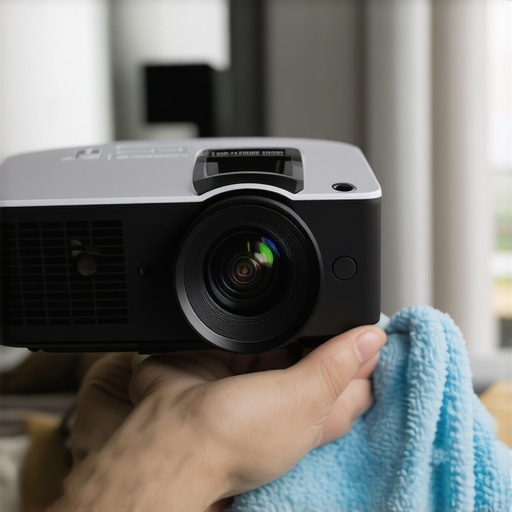
Keeping your living room projector or laser TV in top shape requires more than just initial setup; it demands regular maintenance and the right tools. One essential device I personally swear by is a high-quality microfiber lens cleaning cloth, like the Lenspen FilterKlear. This minimizes dust and smudges that can degrade image quality over months. Regularly cleaning the projector’s lens ensures consistent brightness and contrast, especially critical in ambient-lit environments.
Another tool I find invaluable is a color calibration disc, such as the Spears & Munsil HD test disk. It allows me to fine-tune color accuracy, contrast, and black levels periodically, ensuring my picture remains vibrant and true to source. Using such calibration tools is key because even firmware updates and changing room conditions can subtly shift image quality over time.
Additionally, I recommend investing in a reliable indoor temperature and humidity meter. Maintaining optimal environment conditions prevents dust from settling into vents and keeps optical components free from moisture-induced fogging or mold. Consistent airflow, combined with a gentle vacuuming of the air vents using a soft brush attachment, prolongs equipment lifespan and preserves image clarity.
Looking ahead, I predict that future maintenance will incorporate smart diagnostics built into projectors, alerting users to dust accumulation or component aging via smartphone apps. Already, certain models offer firmware notifications for calibration needs, making upkeep more straightforward.
What approaches are best for scaling your setup as your needs grow?
If you’re considering expanding your AV system, modular mounts and adjustable screens offer flexibility. I personally use a motorized, wall-mounted projection screen that I can control via smartphone, allowing quick adaptation from casual viewing to cinematic experiences. When scaling, ensure your tools can handle increased size and complexity—heavy-duty mounts, high-gain screens, and cabling solutions that minimize clutter. For detailed advice on expanding your setup efficiently, visit this guide on mounting options.
Lastly, always keep firmware updated. Manufacturers typically release improvements that optimize image processing and error correction, extending hardware longevity. To safely manage updates, use a reliable USB drive or download directly via a dedicated app, if supported. Staying current minimizes issues caused by outdated software, ensuring your system runs smoothly for years to come.
Don’t forget, regular checkups coupled with the right tools are vital. I encourage you to try out a calibration disc or a microfiber lens cloth to see immediate improvements—and to keep your imaging crisp and vibrant long-term. For personalized support or advanced upgrades, feel free to reach out here.
Small Tweaks, Big Gains: The Hidden Truth About Black Levels
One revelation I had was that the simplest adjustments, like fine-tuning contrast or dimming ambient lights, often yield the most noticeable improvements in black depth. I used to believe that investing in the brightest projector was the answer, but I learned that environmental control and calibration are just as critical—sometimes more so. This insight saved me money and frustration, teaching me that perfection lies in the details. For anyone serious about getting that true black, don’t overlook the power of meticulous calibration and light management.
The Power of Environment Over Equipment
I discovered that the room’s surfaces and lighting conditions can make or break your image quality. Matte, neutral-colored walls and blackout curtains transformed my setup more than any firmware update or new bulb. It became clear that optimizing room conditions isn’t just a tip; it’s a game-changer. If you’re aiming for deep blacks and vibrant contrast, start simplifying your environment first—sometimes, less ambient light and better wall choices are the key to unlocking your projector’s full potential.
Consistency Is the Unsung Hero
Maintaining top picture quality requires regular attention. I now schedule quarterly lens cleanings, update firmware, and recalibrate using test patterns—simple routines that keep my setup performing at its peak. This consistency diminishes surprises and ensures that each movie night is as immersive as the first. Remember, a high-end laser TV or short throw projector is only as good as the maintenance it receives. Staying proactive ensures you enjoy long-term excellence in your living room experience.
Curated Recommendations for the Avid Enthusiast
- Spears & Munsil HD Test Disk: A trusted tool for precise calibration, this disk helped me dial in contrast, color, and black levels with confidence. It’s a worthwhile investment for any home theater lover.
- Neutral Density Filters: These simple add-ons dramatically reduce glare and improve contrast in rooms with substantial ambient light, my secret weapon during sunny days.
- Smart Room Lighting Controls: Devices like dimmers and automated blackout curtains empowered me to adjust lighting seamlessly, optimizing contrast without manual fuss. Discover more ambient light tips and tricks to finally tame those shadows.
- High-Gain Gray Screen: Upgrading to a specialized screen enhanced black depth and color vibrancy—like switching from a regular screen to a dedicated contrast performer. Check out the latest options and see the difference for yourself.
Your Next Move Toward Cinematic Bliss
Once you realize that perception of black levels and contrast is as much about environment and calibration as it is about hardware, your entire home theater approach shifts. I encourage you to experiment with the light, surfaces, and settings first—before rushing to upgrade. Every tweak gets you closer to that immersive, realistic image you crave. Keep learning, keep adjusting, and don’t settle until your living room projection setup truly reflects your vision. Ready to transform your space? Dive deeper into optimizing ambient light [here](https://shortthrow.laserprojectordeals.com/ambient-light-optimization-tips-for-ust-projector-enthusiasts) and explore top projectors for 2025 [here](https://shortthrow.laserprojectordeals.com/top-ust-projectors-for-sleek-living-room-setups-in-2025). What’s the one adjustment that made the biggest difference in your setup? Share below and inspire others on the path to picture perfection.
Leave a Reply