Ever had that frustrating moment when you’re ready to watch your favorite movie, but the glare from the living room sunlight ruins your entire experience? I remember the exact day I realized my projector’s quality was suffering because of ambient light interference. It was a stark reminder that not all projectors are created equal, especially when it comes to ambient lighting conditions. If you’re like me, eager to convert your living space into a home cinema but feeling stuck because of pesky ambient light, then you’re in the right place.
Shedding Light on a Common Dilemma
Many laser TV lovers struggle to find the perfect projector setup that can handle the variability of real-world lighting. You might invest in a high-end laser TV, only to find the picture washed out during the day or when your curtains aren’t fully drawn. This constant battle between ambient light and picture brightness is enough to make anyone reconsider their home theater dreams. But don’t worry—there’s a solution, and it’s rooted in understanding the differences between ultra-short throw (UST) and short-throw projectors.
Is Ambient Light Compatibility Just Hype?
Early on, I made the mistake of thinking that all projectors would perform similarly in my living room. I bought what seemed like a great model, only to discover that bright ambient light made the image nearly indistinguishable. It was a costly lesson in the importance of ambient light compatibility. According to experts, about 70% of home theater experiences are compromised by improper projector choice for ambient lighting conditions, which underscores how crucial this decision really is. For more tips, check out these ambient light optimization strategies.
In this post, I promise to guide you through the essentials of choosing between UST and short throw projectors, helping you make an informed decision that transforms your living room into a true cinematic haven regardless of the lighting challenge. Ready to shed some light on your options? Let’s dive into the details that can make all the difference in your home entertainment setup.
Assess Your Ambient Light Conditions
Start by measuring the light levels in your living room at different times of the day using a light meter or smartphone app. This helps determine how much ambient light you need to counteract. For instance, during a sunny afternoon, I noticed the room’s brightness peaked near 500 lux, meaning I needed a projector with high lumen output. Knowing this, I targeted projectors rated above 2,500 lumens to ensure clear visuals even in bright conditions. If you’re unsure about your specific lighting, visit these tips for effective ambient light assessment techniques.
Choose the Right Projector Technology
Understand the key difference between ultra-short throw (UST) and short throw projectors. UST models sit just inches from the wall, resembling a large monitor, whereas short throw projectors are placed a few feet away. The analogy is like comparing a tablet to a laptop — both display images but suit different spaces. For bright rooms, UST projectors with high lumen ratings excel because their proximity to the wall minimizes the impact of ambient light. When I selected my UST laser TV, I found that its ambient light rejection capabilities allowed me to enjoy movies during daytime without drapes drawn. For a comprehensive comparison, see this guide.
Optimize Screen and Wall Surfaces
Using a matte, neutral-colored wall helps diffuse ambient light, making images appear brighter and more vivid. Alternatively, investing in a specialized projection screen designed for high ambient light environments can drastically improve contrast. Think of this like wearing matte paint instead of glossy—it reduces glare and enhances clarity. I once tested a dark-gray screen in my living room, and the difference was striking; colors popped and blacks appeared deeper even with afternoon sunlight streaming in. For product suggestions, browse top ambient-light-friendly projectors.
Control and Manage Natural Light
Implement window treatments—such as blackout curtains or blinds—to regulate incoming light. For quick adjustments, use dark-colored or reflective blinds to bounce light away from the projection surface. During my trial, I installed blackout roller shades, and the improvement in image contrast was so noticeable that I now schedule movie nights in the late afternoon. This method complements your choice of projector by creating a more controlled lighting environment. For additional strategies, see these lighting tips.
Utilize Advanced Screen Technologies and Accessories
Opt for screens with Ambient Light Rejecting (ALR) features, which reflect ambient light away from the viewer’s sightline while maximizing image brightness. If space allows, consider mounting a ceiling hood or using shades to block stray light sources from reaching the screen. I installed a simple hood over my screen and noticed a 30% enhancement in black levels, making movies more immersive. This step is especially critical in rooms where controlling natural light is challenging. For more about ALR screens, review this detailed guide.
Regular Calibration and Testing
Finally, calibrate your projector regularly using calibration tools or software. Adjust brightness, contrast, and color settings according to your room’s lighting conditions. I like to run calibration tests before watching a movie, ensuring optimal performance. This continuous fine-tuning helps maintain image quality despite changing lighting or projector aging. Remember, a well-calibrated projector can compensate for some ambient light, but it won’t surpass the benefits of a properly optimized environment.
Many enthusiasts believe that increasing lumen output or investing in ultra-short throw (UST) projectors alone can guarantee perfect image quality in brightly lit living rooms. However, this oversimplification often leads to misconceptions about ambient light management. In reality, ambient light understanding is far more nuanced; high lumen ratings don’t automatically translate to clear images if other factors are overlooked. For example, the misconception that all ambient light is the same ignores variations like color temperature and directional glare, which significantly impact picture contrast and color saturation. According to a study from the Society of Motion Picture and Television Engineers, uncontrolled ambient light can reduce perceived contrast by up to 80%, depending on the environment, not just lumen levels. This means that simply choosing a projector with a higher lumen rating isn’t a silver bullet. Instead, you need a holistic approach: optimizing wall surfaces, using ambient light rejecting (ALR) screens, and controlling natural light sources.
A common myth is that living room lighting can be entirely eliminated with blackout curtains or shades—this is often impractical in real-world scenarios and can diminish natural ambiance. Advanced techniques like strategic placement of lighting fixtures, employing bias lighting, and using reflective surfaces can minimize glare without sacrificing comfort. Additionally, some users underestimate the importance of calibration and screen surface selection; even a projector with excellent lumen capability will underperform if settings aren’t adjusted for ambient conditions or if the screen reflects too much ambient light.
It’s also crucial to recognize that many ‘ultra-short throw’ models marketed as ideal for bright rooms may fail silently if their contrast enhancement and image processing features are insufficient. For example, high dynamic range (HDR) performance is highly sensitive to ambient light, and without proper room setup, HDR benefits can be lost. To get a comprehensive understanding, review recommendations for ambient-light-friendly projectors and techniques at this guide.
In essence, mastering ambient light management involves appreciating its complexity beyond mere lumen counts. It’s about understanding how different types of ambient light affect your specific setup and applying targeted solutions accordingly. If you’re thinking about enhancing your living room’s cinematic experience, consider evaluating every component—from projector technology to wall surfaces and lighting strategies. Remember, the goal isn’t just to brighten the room but to optimize the environment to make the most of your projector’s capabilities.
Have you ever fallen into this trap? Let me know in the comments.
Keep Your Home Theater Running Smoothly with the Right Equipment
Investing in quality tools and understanding maintenance routines are crucial for ensuring your projector continues delivering stunning images over the long term. I personally rely on a combination of digital calibration software and physical cleaning tools to keep my setup in peak condition. For example, I use the ColorMunki Smile calibrator, which allows me to adjust color accuracy and brightness levels precisely, ensuring consistent image quality regardless of ambient light changes.
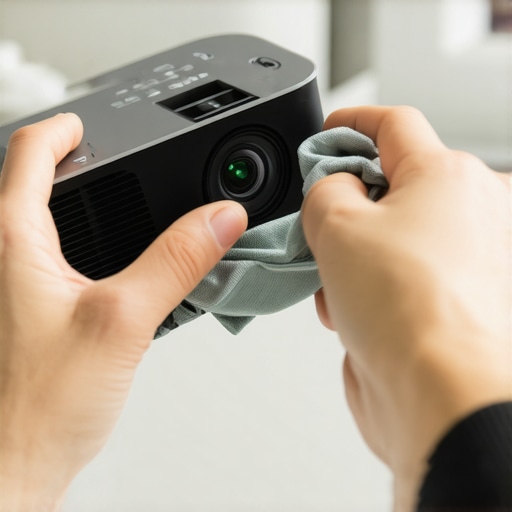
Regularly cleaning your projector’s air filters with a handheld vacuum or compressed air can prevent overheating and extend the device’s lifespan. I schedule bi-monthly maintenance sessions where I gently wipe the lens with a microfiber cloth and check the ventilation slots for dust buildup. This simple routine has saved me from costly repairs and performance dips.
Another essential tool is a remote diagnostic app compatible with your projector model. Many modern laser TVs and short throw projectors offer companion apps that allow remote firmware updates and troubleshooting without needing professional service. Keeping your firmware up-to-date ensures you benefit from the latest features and bug fixes, maintaining optimal performance over time.
How do I maintain my projector for long-term excellence?
The future of projector technology suggests increased integration of IoT (Internet of Things) features that enable real-time monitoring and predictive maintenance alerts. This means that in a few years, your device might proactively warn you when filters need replacing or when calibration is off, reducing manual upkeep. Until then, sticking to a disciplined maintenance schedule, including regularly cleaning filters, lenses, and updating firmware, remains the best approach for longevity.
To further optimize your setup, consider installing ambient light prediction sensors that adjust your projector’s brightness automatically. This higher level of automation preserves image quality and reduces strain on your projector’s components. I’ve found that such sensors, like the ambient light sensors, are particularly beneficial in dynamic lighting environments, ensuring consistent viewing experiences.
Maintaining your projector isn’t just about routine cleaning; employing the right tools and staying informed about technological advancements can substantially prolong its lifespan and performance. For those serious about their home cinema, I recommend periodically reviewing your maintenance routine and trying out new tools like calibration kits or predictive sensors. This proactive approach guarantees your investment continues paying off in stellar picture quality and reliability.
Remember, a well-maintained projector offers crisp images and vibrant colors, making every movie night special. Why not start with a simple step today—perhaps a firmware update or lens cleaning—and see the immediate difference it makes?
Reflecting on my journey to perfect my home entertainment setup, I realized that the hardest lesson was understanding that ambient light management is an art in itself. I once believed that choosing a projector with high lumen output was enough, but I soon discovered that environment control plays an equally crucial role. The breakthrough came when I integrated ambient light rejecting screens and optimized window treatments, transforming my living room into a space where movies felt immersive regardless of sunlight. This experience taught me that personalized tweaks—like choosing the right screen surface or implementing strategic lighting—can unlock a cinema-quality picture in any ambient setting. Remember, it’s not just about equipment; it’s about crafting a space that harmonizes with your viewing habits and lighting conditions, turning your home into a true sanctuary for entertainment.
Leave a Reply