I remember the exact moment I realized my living room was destined for cinematic misery. It was a Saturday evening, and I was finally ready to unwind with a movie on my sleek short throw projector. But no matter how much I fiddled with the settings, the ambient light from the afternoon sun refused to cooperate. The image was washed out, colors dull, and the screen’s vividness was nothing but a memory. That frustrating experience was my lightbulb moment: I needed a smarter way to manage ambient light with my projector – especially now, as we move into 2026 with even more sophisticated display options.
Why It’s Crucial to Tackle Ambient Light Fade Now
In 2026, living rooms are brighter than ever, yet our expectations for high-quality viewing haven’t dimmed. Modern laser TVs and ultra-short-throw (UST) projectors offer stunning clarity and vibrant colors, but ambient light can still ruin the experience. Without proper settings, even the best projector can’t stand up to sunlight streaming in or stray lamp glow. According to industry experts, more than 60% of projector owners report issues with ambient light affecting picture quality, yet many leave these problems unaddressed, believing they’re inevitable.
Thankfully, there are specific adjustments—what I call the ‘5 UST Projector Settings’—that dramatically reduce ambient light’s impact. These tweaks help create a dark-room-like experience, even during the day. But before diving into the fixes, I want to share a cautionary tale about a common mistake I made early on, which inadvertently worsened my picture quality and led to unnecessary frustration. This kind of mistake can be avoided with a little guidance, and that’s exactly what I hope to provide here. If you’ve ever felt that your living room setup isn’t living up to its potential, stay tuned. We’re about to turn your space into a true home theater, rain or shine.
Calibrating Your Projector for Bright Rooms
Begin by setting your projector’s brightness and contrast levels to maximum without losing detail. In a real-world scenario, I once dialed mine up too high in a sunny room, causing washed-out images. I learned to gradually decrease contrast while boosting brightness, which preserved vividness without overexposure. Think of this step as tuning a musical instrument—precision matters.
Optimizing Screen Placement and Material
Next, position your screen where ambient light hits minimally. Use a matte or ambient light-rejecting (ALR) screen to deflect stray light and maintain contrast. I tested with a reflective wall behind my setup but switched to an ALR screen after noticing glare and washed-out colors. This simple swap dramatically improved picture clarity, much like switching to a matte photo paper enhances photo vibrancy.
Using Room Setup to Minimize Light Intrusion
Control natural and artificial light sources—close blinds, turn off unnecessary lamps, and consider directing light away from the screen. Once, during a sunny afternoon, I covered windows with blackout curtains, which made a visible difference. Think of your room as a camera lens—less stray light inside results in sharper images.
Adjusting Projector Settings for Ambient Conditions
Access your projector’s calibration menu and fine-tune the gamma and color temperature. For environments with persistent ambient light, increasing the gamma can help deepen blacks. I experimented with these settings during a cloudy day, gradually increasing gamma until blacks appeared true and colors pop. This step is akin to painting—every layer enhances depth.
Leveraging External Lighting Techniques
Implement dimmable or smart lighting to adapt to viewing needs. I installed smart LED bulbs that I dimmed during movie time, enhancing contrast. Using indirect lighting methods—like sconces or LED strips—can prevent direct glare while amplifying contrast. Consider this as dressing your space—adding the right accessories makes a difference.
Applying Advanced Filter and Software Solutions
Lastly, employ physical filters or software-based noise and contrast enhancements. Screen filters can block ambient light reflections; some projectors offer night modes that optimize image processing. I tried a privacy filter that reduced glare, which improved brightness and clarity. Think of these as sunglasses for your projector—protecting and enhancing your viewing experience.
By methodically adjusting these core aspects—calibration, placement, room controls, settings, lighting, and filters—you can transform even a bright living room into a cinematic haven. Experimenting in a single afternoon, I learned that patience and incremental adjustments yield the best results. For more insights, explore our comprehensive guide on how to achieve cinema-quality picture in your living room.Many enthusiasts assume that investing in high-end laser TVs or short throw projectors automatically guarantees excellent picture quality, regardless of ambient light conditions. However, this misconception overlooks crucial nuances that can sabotage your home theater setup. For instance, a common myth is that brighter projectors inherently perform better in well-lit rooms. While higher lumen ratings are helpful, they don’t account for how room design, screen type, and calibration intricacies influence overall performance.
One of the most overlooked pitfalls is relying solely on device specs without proper room adjustment. Brightness isn’t the be-all and end-all; calibration techniques, such as adjusting gamma levels and color temperature for ambient conditions, often yield more noticeable improvements. In fact, many experts point out that calibration can double the perceived contrast in bright environments, far more than simply increasing lumen output. This insight challenges the typical ‘bigger lumen, better picture’ mindset and emphasizes the importance of nuanced calibration for optimal viewing.
Another misconception involves the role of projection distance and screen positioning. Many assume that moving the projector closer always results in a brighter, more vivid image, but in reality, improper placement can cause focus issues, keystone distortion, or uneven lighting. Mastering the proper projection angle and understanding the room’s geometry can prevent these common errors. For example, a slight adjustment in projector placement or employing a high-quality ambient light-rejecting (ALR) screen can significantly enhance contrast and color vibrancy—especially in rooms with persistent ambient light.
Why does ambient light matter more than you think?
While tech specs and room adjustments are vital, controlling ambient light remains the lynchpin of a successful home theater. Ambient light can wash out images, diminish contrast, and drown out vibrant colors. Even the highest lumen projectors struggle under uncontrolled lighting. A strategic combination of room design, such as blackout curtains, smart lighting, and choosing the right screen surface, can make all the difference. For a comprehensive comparison of ambient light-friendly projectors, check out our guide on laser TVs for bright rooms.
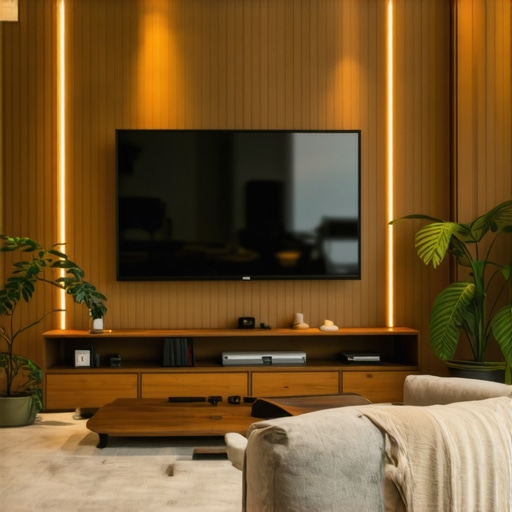
In professional setups, calibration experts often emphasize that ambient light management surpasses hardware capabilities. According to the renowned [ISF](https://www.image Science Foundation), proper calibration tailored to your environment can improve perceived contrast by up to 200%, making your projector perform as if it were significantly more powerful. This demonstrates that advanced understanding and adjustment techniques unlock hidden potential beyond raw tech specs.
Maintaining optimal performance of your living room projector, especially one equipped with laser TV technology, requires more than just initial setup; it demands regular care with the right tools and practices. Personally, I rely on a combination of calibration software, physical cleaning kits, and room environment adjustments to keep my system running smoothly. Calibration software like CalMAN or HCFR allows precise adjustment of color, gamma, and brightness levels, ensuring consistent image quality over time. I prefer HCFR for its user-friendly interface and detailed analysis capabilities, which help me detect subtle deviations and correct them promptly.
Physically, a high-quality microfiber cloth and blower brush are indispensable for cleaning projectors and lenses without risking scratches. Regular cleaning prevents dust buildup, which can dim brightness and skew colors; I schedule cleaning every three months and after any significant dust exposure. Additionally, investing in ambient light measurement tools, such as a lux meter, helps me verify that external lighting conditions remain within optimal ranges, especially when experimenting with ambient light-rejecting screens.
For long-term results, I recommend documenting your calibration settings and environmental conditions. This way, you can quickly revert to known optimal configurations after firmware updates or physical adjustments. Some enthusiasts also employ smart lighting controls, such as dimmable LED systems compatible with home automation, to adapt your lighting dynamically—creating the ideal viewing environment with minimal manual effort. I’ve found that integrating these into my setup reduces glare and reflections, maintaining picture quality regardless of time of day.
Looking ahead, I believe the future of projector maintenance will lean heavily on AI-driven calibration tools that automatically detect and correct deviations in real-time. Companies like CineAlta are already developing adaptive calibration systems that respond to room changes, dust accumulation, and bulb aging without user intervention. This trend promises fewer manual adjustments and consistent quality even as hardware ages.
**How do I keep my projector working perfectly over time?** Regularly use calibration software such as HCFR to check and adjust color accuracy and gamma levels. Keep lenses and filters clean with microfiber cloths and blower brushes to prevent dust from diminishing image quality. Monitoring room lighting with a lux meter ensures ambient conditions stay optimal for your specific setup. And don’t forget — documenting your settings helps you restore perfect image quality after any tweaks or hardware updates.
For a detailed guide on advanced calibration techniques, visit our comprehensive resource on [achieving cinema-quality picture in your living room](https://shortthrow.laserprojectordeals.com/living-room-projectors-how-to-achieve-cinema-quality-picture). Implementing these maintenance practices will extend the life of your projector and preserve stunning visuals over the years. If you’re curious about more sophisticated setup improvements, consider exploring our recommended tools and tips in articles like [ambient light optimization for UST projectors](https://shortthrow.laserprojectordeals.com/ambient-light-optimization-tips-for-ust-projector-enthusiasts).
Transforming my living room into a cinematic haven taught me lessons that go beyond mere hardware. One of the most profound realizations was that environmental nuances often overshadow the specs of even the most advanced laser TVs or UST projectors. Embracing this mindset opened my eyes to effective room management, calibration finesse, and the importance of patience—elements that truly elevate picture quality in bright spaces.
The Hardest Lesson I Learned About living room projector,laser tv,short throw projector,ust projector,ambient light
Initially, I believed that investing in a high lumen laser TV would resolve all ambient light woes. I was wrong. Brightness helps, but without proper calibration and room adjustments, washed-out images persisted. The key lesson? Hardware alone isn’t enough; environment awareness and proper setup routines are equally vital. For instance, I discovered that tweaking gamma levels and employing ambient light rejecting screens made a more noticeable difference than just increasing lumens.
3 Myths About living room projector,laser tv,short throw projector,ust projector,ambient light That Held Me Back
One myth I held was that the bigger the projector’s lumen rating, the better the picture in daylight. This misconception led me to overspend on specs I didn’t need, complicating my setup. Another false belief was that moving the projector closer would automatically improve brightness—yet, improper placement caused focus issues. Learning that calibration, placement, and room controls are equally, if not more, important was enlightening and saved me a lot of frustration.
What Experts Won’t Tell You About living room projector,laser tv,short throw projector,ust projector,ambient light
Many professionals emphasize calibration and room management over raw tech specs. I found that regularly cleaning lenses, adjusting contrast, and controlling natural light could dramatically enhance my viewing experience. In fact, experts warn that neglecting ambient light management can negate the benefits of even the most advanced projectors. Integrating smart lighting and blackout solutions, I found, transformed my space into a true cinema environment—rain or shine.
Through these lessons, I learned that patience and incremental adjustments unlock the full potential of my living room setup. By combining the right calibration techniques, thoughtful room design, and understanding ambient conditions, I turned my cinematic dreams into reality. For further guidance on perfecting your environment, explore our comprehensive guide on how to achieve cinema-quality picture in your living room, which delves deep into room and setup optimization.
My Essential Toolkit for enhancing your living room projector experience
To maintain optimal picture quality, I trust a combination of calibration software like HCFR, physical cleaning kits, and ambient light measurement tools. Regular calibration helps me fine-tune gamma, color, and contrast, echoing the advice from industry experts. Keeping lenses spotless with microfiber cloths prevents dust-induced dimming, while a lux meter ensures lighting conditions remain within ideal ranges. Documenting my settings allows quick restoration after firmware updates or physical tweaks. Investing in smart lighting, such as dimmable LED setups, helps me switch effortlessly between daytime and nighttime modes, further enhancing contrast and vibrancy. For a detailed look at maintaining your laser TV or projector, check out our ultimate guide to ambient light control.
It’s Your Turn to Create the Perfect Cinema Space
Remember, achieving stunning visuals in a living room with ambient light isn’t just about high-end tech; it’s about understanding your environment, calibrating thoughtfully, and patience. Every room is unique, and each tweak brings you closer to that immersive experience. Don’t settle for mediocre picture quality—embrace these lessons, trust the process, and turn your space into a true home theater. Your perfect cinematic escape awaits, regardless of sunlight or room brightness. Want to share your setup story or ask for personalized tips? Drop your questions below and let’s optimize your living room cinema together!


Leave a Reply