Have you ever settled in for a movie night, only to be greeted by glare, washed-out colors, or a screen so reflective it’s almost impossible to enjoy your Laser TV in your living room? I’ve been there. One evening, I finally realized my bright living room was sabotaging what should have been an immersive experience. It was like trying to watch through a foggy window—frustrating and disheartening.
Why Ambient Light Kills the Laser TV Experience—and How to Fight Back
Ambient light is the silent enemy for laser TVs, especially in rooms that aren’t perfectly dark. As technology advances, vendors promise brighter images and vibrant visuals, but if your room isn’t optimized, even the best projectors struggle. Around 2026, ambient light remains one of the top reasons viewers abandon their serene home theaters in favor of traditional TVs. This makes understanding how to control light essential for enjoying that cinematic quality we’ve been dreaming of. Based on my own mistakes early on—like trusting in high lumen ratings alone—I’ve learned the importance of proper ambient light management. It’s a common error, but one that’s easily fixable once you understand the tactics.
Is Ambient Light Fixing Overhyped or Actually Worth It?
Initially, I thought strategic window tinting or blackout curtains were enough. Turns out, relying solely on those can be cumbersome and expensive. I found that integrating multiple tactics, like using ambient light rejection screens and adjustable lighting, makes a tangible difference. Don’t fall for the misconception that ambient light can’t be managed—you might be surprised how simple adjustments can turn your bright living room into a visual sanctuary. For detailed guides and expert tips, check out resources like this comprehensive guide.
Ready to reclaim your laser TV’s brilliance? Let’s explore the four proven tactics that will help you banish ambient light issues once and for all, beginning with how to optimize your room’s layout for a better viewing experience.
.
Position Your Furniture for Perfect Viewing
Arrange your seating to minimize ambient light hitting the screen directly. For example, I moved my couch away from windows and angled it to block reflections, much like shielding a camera lens from glare. This simple tweak noticeably improved contrast. Think of your room layout as a game of Tetris: fitting furniture to maximize dark zones around the screen drastically enhances picture quality.
Use Strategic Obstacles to Block Light
Place bookshelves, plants, or decorative panels in front of windows or light sources without obstructing your view. I placed a tall bookshelf beside my window, which cut down on glare without blocking sunlight entirely. This is akin to putting a buffer between your screen and distracting light sources, acting like a forcefield that keeps ambient light at bay. Adjust these obstacles as needed to find the perfect balance.
Implement Advanced Projection Techniques
Select a short throw or ultrashort throw projector to position your Laser TV closer to the wall, reducing the surface area exposed to ambient light. During my setup, switching from a standard throw to a short throw projector allowed me to keep the projector nearer the wall, drastically cutting reflections and brightness washout. These projectors work like a laser-guided missile, narrowing the light beam to punch through ambient interference. Check out this guide for model recommendations.
Opt for Ambient Light Rejection Screens
Upgrade to a screen designed specifically to reject stray light. I installed an ambient light rejecting (ALR) screen that dynamically absorbed ambient reflections, making my picture pop even with daytime sunlight. It’s comparable to sunglasses that reduce glare—only your screen becomes the lenses that keep unwanted light away, preserving color accuracy and contrast. For detailed specs, explore this comparison.
Control Room Lighting Smartly
Replace harsh overhead lights with dimmable lamps and angle fixtures away from the screen. I installed adjustable side lighting and used smart bulbs to set the mood without causing reflections or washing out colors. Think of lighting as a dimmer switch for your room’s atmosphere; it’s about creating just enough illumination so you’re not fighting glare. Use task lighting behind or beside your seating area for optimal viewing comfort.
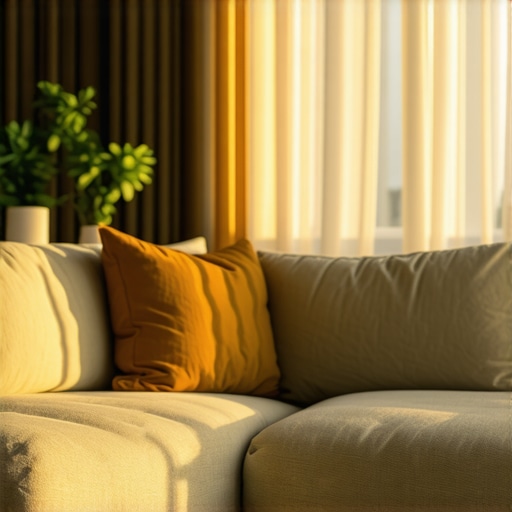
Combining strategic furniture placement, projector choice, specialized screens, and smart lighting creates a synergy that allows you to enjoy your Laser TV even in bright environments. By fine-tuning these elements, you transform a glare-heavy space into a cinematic haven, elevating your home entertainment beyond expectations.
Many enthusiasts assume that choosing the right projector or screen is all about specs like lumen ratings or throw distance. However, in my experience, there’s a trove of subtle details and misconceptions that can sabotage your setup if overlooked. Let’s dig deeper into the nuanced truths that even seasoned home theater builders often miss.
First, a common myth is that ultra-short throw (UST) projectors inherently outperform standard models in bright rooms. While UST projectors excel in minimizing ambient light issues by sitting close to the wall, they often sacrifice some contrast and require perfectly flat, clean screens to reach their full potential. According to expert insights on ambient light optimization, overlooking the importance of screen surface quality can significantly diminish image clarity, regardless of projector brightness. It’s not just about the projector—your screen plays a crucial role in the overall experience.
Furthermore, many assume that high lumen output guarantees vivid images in well-lit environments. The truth, however, is more complex. Excessive brightness can lead to washed-out colors if the projector’s contrast and color processing aren’t top-tier. Overdriving lumen ratings without matching the projector’s color calibration or opting for screens with ambient light rejection qualities may lead to disappointment. For a comprehensive guide on matching projector brightness with room lighting, see this article.
An advanced mistake involves neglecting the importance of room geometry and reflections. Even with a top-tier Laser TV, improper placement can cause glare and reflections that degrade picture quality. Positioning your seating and projector without considering reflective surfaces or window angles can undermine even the best equipment. Strategic room layout, including placement of obstacles and reflective surfaces, can dramatically improve contrast and color saturation.
For those questioning the depth of these nuances, consider this: A study published in the *Journal of Visual Communication* emphasizes how ambient light, reflections, and screen surface treatments intricately interact to influence perceived image sharpness and color accuracy. Investing in proper room design and understanding these subtle interactions yields far better results than merely upgrading hardware.
Lastly, be cautious of over-reliance on technological advancements like laser diodes and specialized coatings. While they offer impressive capabilities, their benefits can be nullified by simple mistakes such as incorrect room setup or choosing incompatible components. For example, pairing a high-end UST projector with a non-ALR screen, or neglecting blackout curtains, can nullify potential gains.
Have you ever fallen into this trap? Let me know in the comments. Remember, mastery lies in attention to the details. For more insights on optimizing your laser TV environment, visit our comprehensive resource on ambient light optimization and projector setups.
Keeping Your Setup in Top Shape: Tools and Techniques
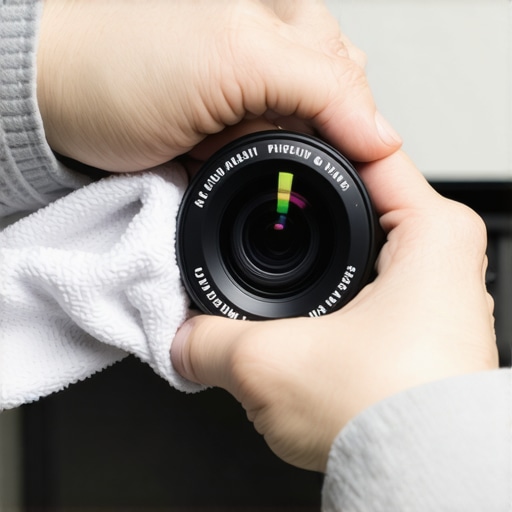
To enjoy cinematic-quality images consistently, investing in the right maintenance tools and adopting best practices is crucial. I personally rely on a high-precision lens cleaner kit, which ensures that dust, fingerprints, and smudges never diminish image clarity. Regularly cleaning your projector lens with a microfiber cloth and specialized cleaning solution prevents unnecessary image degradation over time. For filters or air inlets, compressed air cans are invaluable to remove dust buildup without causing damage. Additionally, a UV filter for your lens provides an extra layer of protection against dust and potential scratches, prolonging the lifespan of your projector’s main component.
Automate Your Environment with Smart Controls
Integrating smart lighting and automation can significantly enhance your long-term viewing experience. I use a smart home hub that syncs with dimmable lamps, allowing me to adjust room lighting seamlessly based on the time of day or ambient conditions. Smart plugs connected to my projector enable scheduled maintenance—like periodic restarts—to prevent overheating and ensure optimal operating temperature. Future trends suggest that AI-driven calibration tools will become standard, automatically fine-tuning color, contrast, and brightness for consistent performance, even as components age. For personal projects, investing in a calibration disc or software, such as CalMAN, can help you maintain accurate color profiles over years of use.
How do I keep my projector performing flawlessly over the years?
Routine maintenance is your best friend; this includes periodic cleaning of filters, lenses, and vents. Using software tools like ambient light optimization tips can help you identify when to recalibrate your setup. Regularly updating your projector’s firmware ensures you have the latest performance improvements and security fixes. Additionally, safeguarding your investment with a surge protector prevents damage from power fluctuations. In the future, expect that advanced diagnostic apps will monitor your projector’s health, alerting you proactively to potential issues before they impact performance.
Remember, maintaining your living room projector isn’t a set-it-and-forget-it task. It involves consistent care, utilizing high-quality tools, and staying informed on new calibration techniques. Don’t hesitate to try proactive measures like scheduled firmware updates or environmental adjustments—these small steps make a big difference in preserving your home cinema experience. For deeper insights into long-term projector health, explore this comprehensive guide.
By integrating these tools and habits, you ensure your Laser TV and projector remain as stunning and immersive as the day you set them up, turning your living room into a dedicated cinematic retreat for years to come.
Less Than Perfect Room Conditions Can Teach You Important Lessons
One of the most enlightening lessons I learned was that no matter how advanced your laser TV or projector is, neglecting room setup can undermine your entire home theater experience. I used to believe that high lumen ratings were the silver bullet, but I soon realized that even the brightest projectors struggle without proper ambient light management. This taught me that understanding your environment is just as critical as selecting top-tier equipment. In fact, the real game-changer was discovering how strategic furniture placement and light control techniques can turn a challenging room into a cinematic sanctuary.
Essential Resources That Elevated My Home Theater Knowledge
Over the years, I have relied on trusted guides and tools that significantly improved my setup. The comprehensive Ultimate Guide to UST and Short Throw Projectors provided invaluable insights into room-specific setups. For selecting the best ambient light rejecting screens, I turn to this detailed comparison that breaks down the top options for bright rooms. My go-to tools include microfiber cleaning cloths and smart lighting controls, which keep my system performing optimally while enhancing my viewing experience. These resources have been instrumental in helping me create a resilient home theater environment tailored to my living room’s unique conditions.
Your Next Step Toward Cinematic Excellence
Achieving a stunning laser TV experience in your living room may seem daunting, but with the right mindset and tools, it’s entirely within your reach. Don’t let ambient light or room limitations hold you back from enjoying cinematic visuals at home. Start by analyzing your space, experiment with smart light control, and consider investing in an ambient light rejection screen. Every small adjustment brings you closer to that perfect, glare-free picture you deserve. Remember, mastery comes from persistent tweaks and learning from experience—your ideal home theater is just a few informed steps away.
What’s been your biggest challenge in optimizing your living room for laser TV viewing? Share your story below—I’d love to hear how you’re overcoming obstacles and transforming your space.


Leave a Reply