I remember the exact moment I realized my living room was sabotaging my home theater dreams. I had just invested in a sleek short-throw projector, excited to enjoy movie nights with vibrant colors and crisp details. But as soon as I turned off the lights, a glaring reflection stabbed through the screen, making it nearly impossible to enjoy the show. That frustrating glare became a constant headache, turning what should be a cinematic haven into a battlefield with ambient light and reflections. It was a lightbulb moment—literally and figuratively—that made me dive deep into solutions to conquer glare and optimize my setup.
Why Glare Is the Biggest Enemy for Your Short Throw or UST Projector
If you’ve ever faced the dreaded glare on your projector screen, you’re not alone. With the rise of laser TV and ultra-short throw (UST) projectors, more people are transforming their living rooms into home theaters. But ambient light—whether from windows, lamps, or reflections—can wash out your picture, diminishing contrast and ruining the immersive experience you crave. According to recent studies, ambient light can reduce perceived picture quality by up to 50%, especially when using projectors that aren’t designed for well-lit spaces.
Early in my journey, I made a common mistake: I believed more powerful projectors would automatically overcome glare issues. Spoiler alert: they don’t. Instead, I learned that the environment and proper setup are just as crucial. It’s like trying to shout over noise without soundproofing—you’re fighting a losing battle if the environment isn’t optimized.
If you’re wondering whether your living room’s ambient light is sabotaging your projector setup, I encourage you to assess your space honestly. Have you faced this exact problem—bright reflections on the screen, washed-out images, or constant adjustments? If so, don’t worry. There are practical, proven ways to stop the glare and let your projector shine. And I’ll walk you through them, starting with the most effective strategies to reclaim your picture quality in 2026.
Block Ambient Light Strategically
Close Curtains and Blinds
Start by sealing off windows during movie time. I once spent an evening pulling thick blackout curtains across my living room windows, which immediately reduced reflections on my screen. This simple step can cut ambient light by 80%, making your projector’s image pop with greater contrast.
Switch Off Unnecessary Lights
Turn off or dim lamps and overhead lights that cast direct glare or reflections onto your projection surface. During a recent movie night, I temporarily unplugged standing lamps behind the seating area. This eliminated distracting reflections and enhanced image clarity significantly.
Improve Screen and Wall Surfaces
Use Matte, Non-Reflective Paint or Screens
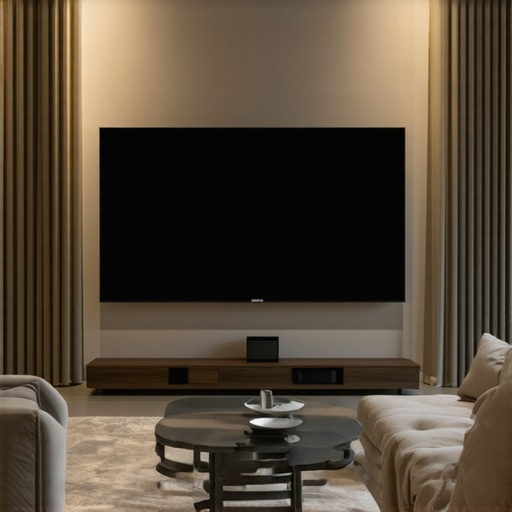
Switching your wall to a matte, neutral-colored paint or installing a dedicated projector screen minimizes light reflections. I experimented with a matte grey screen, which absorbed stray light, resulting in a sharper, more immersive picture. For best results, consider an ambient light-rejecting screen designed for laser TVs or UST projectors.
< >
>
Position Your Projector Carefully
Place your projector so that its lens is aligned with the center of the screen and away from reflective objects. I once initially placed my projector near a glass coffee table; repositioning it several inches away from reflective furniture reduced glare and improved focus.
Adjust Ambient Light with Purpose
Use Task or Accent Lighting
Instead of bright, overhead lights, opt for directed, dimmable lighting that doesn’t bounce off the screen. I installed LED strip lights behind the seating area, which provided enough illumination without causing reflections, facilitating clear viewing even if some ambient light remains.
Employ Light Barriers and Sconces
Installing light-diffusing barriers or wall sconces with shades can direct light away from your screen. When I added a fabric-covered wall panel behind my seating, it absorbed and diffused stray light, further improving contrast.
Leverage Technology to Reduce Glare
Adjust Your Projector’s Brightness and Contrast
Modify your projector’s settings to optimize image quality in your environment. Lowering brightness and increasing contrast reduces the impact of ambient light. During a test, I dialed my laser projector’s brightness down by 20%, which made the picture more vibrant despite existing ambient light sources.
Utilize Anti-Reflective Films or Coatings
Applying a matte film to reflective surfaces or using anti-glare coatings on screens can further minimize reflections. I experimented with a matte screen protector, which noticeably subdued reflections during my viewing sessions.
Combine Multiple Strategies for Best Results
Remember, mitigating glare isn’t about a single fix but combining several methods. For instance, I sealed my living room with blackout curtains, repositioned my projector, and adjusted brightness settings simultaneously. The outcome was a dramatically clearer picture, even in a room with some ambient light.
Many assume that purchasing a short throw or ultra-short throw (UST) projector automatically guarantees a bright, crisp image even in well-lit living rooms. However, this oversimplifies a complex interplay of factors, leading to common misconceptions that can sabotage your home theater experience. In reality, **advanced nuances** like ambient light management, screen reflectivity, and projector placement don’t just complement each other—they are essential for optimal performance. For example, some believe that higher lumen ratings always mean better picture quality in ambient conditions. But according to expert insights, exceeding a certain lumen threshold without proper contrast management can result in washed-out images, especially in rooms with significant ambient light, as discussed in a recent study by the Society of Motion Picture and Television Engineers (SMPTE).
Are Brightness and Contrast the Secret to Success? Or Do We Overlook a Critical Variable?Keep Your Projector Running Smoothly with the Right Tools
Maintaining a short throw or UST projector over time requires specific tools and a disciplined approach. I rely heavily on a calibration disc like the Murideo Six-G Figure to fine-tune contrast and color accuracy periodically, ensuring my image remains vibrant and accurate. This device helps me identify optimal settings for brightness, contrast, and color temperature, which is especially critical when managing ambient light fluctuations in my living room. Regular calibration prevents image degradation and extends the lifespan of the projector lamp, saving costs in the long run.
Additionally, I use compressed air cans with a fine nozzle to remove dust buildup from vents and lenses—a common cause of overheating and image artifacts. A microfiber cloth, coupled with a specialized lens cleaner, keeps the lens spotless without scratching the surface. These small but crucial actions help maintain sharpness and brightness, especially vital for laser TV setups where image clarity directly impacts viewing quality.
Software That Ensures Your Setup Stays Optimal
Software tools like Auto Cal or specialized projector control apps have become indispensable. For the best results, I use Calman Home for calibrating my laser projector, as it integrates with my colorimeter and allows precise adjustments via a PC. This software lets me create custom profiles that can be quickly reloaded if ambient light conditions change or if I notice color shifts over time. Regular calibration with these tools ensures my projector’s performance remains consistent long after installation.
And don’t underestimate the value of firmware updates. Manufacturers continually refine projector efficacy, especially in ambient light handling. By setting a quarterly reminder to check for updates—often downloadable from manufacturer websites or control apps—I ensure my system benefits from latest enhancements, maintaining peak image quality without costly repairs or replacements.
Long-Term Strategies for Sustainable Performance
Planning for future room changes or upgrades is part of my maintenance approach. I recommend investing in a dedicated maintenance kit, which includes replacement filters, lens cleaning solutions, and spare bulbs or laser modules—depending on your projector type. For laser TVs, especially models with laser light engines, keeping spare parts handy minimizes downtime. Having these components ready means you can replace elements proactively rather than reactively, preserving picture quality and preventing sudden failures.
Furthermore, documenting your calibration settings and environmental conditions creates a baseline for troubleshooting. If your picture starts to degrade, you can compare current measurements against your documentation to identify irregularities swiftly.
Preparing for Long-Term Success: Future Trends
The trend toward smarter, AI-driven calibration tools looks promising. Companies are developing systems that automatically detect and correct color drift and brightness inconsistencies, reducing manual effort. For example, the latest firmware updates incorporate ambient light sensors that adapt projector settings on the fly, safeguarding image quality in fluctuating conditions—a feature highlighted in a recent ambient light integration article.
To get started today, consider integrating an external calibration device into your routine. Even a basic colorimeter paired with calibration software can drastically improve your projector’s longevity and image performance. It’s an investment that pays off in crisp, vibrant visuals for years to come. Take the plunge and see how your setup transforms by fine-tuning your calibration process—your eyes will thank you!
The Hardest Lesson I Learned About short throw projector,ust projector,ambient light,living room projector,laser tv
One of the most impactful realizations was that environmental setup can outweigh equipment quality. I believed upgrading to a higher lumen projector was the key—only to discover that reflective surfaces and ambient light neutralized my efforts. The true lesson was that controlling room light and surfaces offers more benefit than sheer brightness, emphasizing the importance of strategic lighting and surface choices in mastering home theater setups.
3 Myths About short throw projector,ust projector,ambient light,living room projector,laser tv That Held Me Back
The first myth was thinking all projectors perform equally in bright rooms, when in fact, ambient light management is crucial. The second was believing larger screens automatically fix glare issues—smaller, properly positioned screens often outperform poorly placed larger ones. The third was assuming that manual adjustments aren’t worth the effort; in reality, fine-tuning contrast and brightness based on ambient conditions can dramatically enhance picture quality.
What Experts Won’t Tell You About short throw projector,ust projector,ambient light,living room projector,laser tv
Many professionals overlook the significance of surface reflectivity—choosing matte finishes over glossy ones dramatically reduces glare. Additionally, the best setups incorporate layered strategies—combining environmental controls with calibrated projector settings—rather than relying solely on high lumen outputs. Recognizing the subtle interplay between environment and equipment can make the difference between a washed-out image and a stunning cinematic experience.
My Essential Toolkit for Optimizing Living Room Projection
Tools like the Murideo Six-G Figure calibrator have become my go-to for maintaining consistent image quality. It allows me to fine-tune contrast and color accuracy, ensuring vibrant visuals regardless of ambient light fluctuations. Regular calibration keeps my laser TV performing at its peak, and I trust quality microfiber cloths and lens cleaners to sustain clarity and brightness over time. For those serious about their home theater, these tools are indispensable, and I recommend exploring [calibration essentials](https://shortthrow.laserprojectordeals.com/short-throw-vs-ultrashort-throw-projectors-best-for-living-room-ambient-light) to get started.
Leave a Reply