I remember the first time I tried setting up a projector in my living room. I was so excited about creating a mini-theater, but frustration hit hard when my walls flickered with ambient light, making the picture washed out and dull. That moment was a lightbulb—traditional projectors just can’t cope with a living room full of daylight and reflective walls. Since then, I’ve invested countless hours researching, testing, and fine-tuning to find the perfect setup. Today, I want to share what I’ve learned about UST (Ultra Short Throw) versus short throw projectors, so you don’t have to go through the same struggles.
Struggling with Ambient Light and Space Constraints
In many homes, especially those with bright walls and big windows, ambient light is the enemy of a crisp picture. Conventional projectors often require dark rooms, which isn’t practical for everyday living spaces. That’s where the debate between UST and short throw projectors becomes relevant. A good choice can turn your living room into a vibrant cinema, while a poor one can leave you feeling disappointed and frustrated. Early on, I made the mistake of choosing a projector without considering ambient light, leading to persistent glare and washed-out images. I learned the importance of understanding your space before making a purchase, a mistake I definitely do not want you to repeat. Curious how to deal with ambient lighting effectively? Let’s dive into that.
Is the UST or Short Throw Projector Really Better for My Living Room?
One common concern I hear is whether investing in an Ultra Short Throw (UST) projector is worth the hype, especially since these models tend to be pricier. From my experience, UST models can project a large image from just inches away, making them perfect for small rooms and setups where space is tight. But they can be sensitive to certain reflective surfaces and may require special screens or wall treatments. Short throw projectors, on the other hand, need a bit more space but often have more options for placement and less risk of shadow interference. The key is not only understanding the projector’s specs but also evaluating the lighting conditions and space constraints of your own living room. Want a detailed comparison? Check out our comprehensive guide on UST vs. short throw projectors.
Remember, the goal is to create a home theater experience that suits your lifestyle, not just the latest tech trend. Do you already face challenges with ambient light or space limitations? I’d love to hear your stories. And if you’re ready to tackle these issues head-on, stay tuned — because the next steps will help you choose the best projector tailored for your living room environment.
Selecting the Perfect Projector Placement
Begin by measuring available space and wall dimensions. Use a tape measure and level to identify the optimal spot for your projector. For instance, in my cramped living room, I placed a short throw projector just 2 feet from the wall, projecting a 100-inch image. This required precise placement to avoid image distortion. Use a calculator or projector throw ratio charts to determine the exact distance needed for your desired screen size. Remember, a stable surface or ceiling mount ensures consistent positioning.
Aligning and Mounting for Sharp Focus
Securely mount your projector at the calculated distance, ensuring it’s perfectly level. Use a laser level or a smartphone app to verify alignment. Fine-tune the lens focus, often a small ring on the projector, until the image is crisp. In my experiment, I initially placed the projector slightly uneven, causing blurry edges. Re-mounting with a level eliminated this issue, dramatically improving picture clarity.
Optimizing Ambient Light Conditions
Next, address ambient light to maximize image quality. Use blackout curtains or blinds to darken windows during viewing. For reflective walls, consider matte paint or wall coverings that diffuse light. In my case, I added blackout drapes and painted one wall matte gray, reducing glare significantly. Position furniture and lighting to minimize reflections and direct light onto the screen. These adjustments transformed my bright living room into a cozy, cinema-like environment.
Controlling Stray Light with Screen Choices
Choose an ambient-light-rejecting screen if possible. Such screens are designed to reflect projected light toward viewers while absorbing excess ambient light. When I upgraded to a high-contrast ALR screen, the picture popped even during daytime viewing, reducing eye strain and glare. If a specialized screen isn’t feasible, hanging a dark, matte poster board behind the projector can act as a quick, cost-effective solution.
Fine-Tuning Brightness and Contrast
Adjust your projector’s settings to match room conditions. Start with the brightness and contrast at medium levels. In my setup, I used the projector’s menu to decrease brightness and increase contrast, resulting in deeper blacks and brighter whites. Experiment with these settings while watching scenes with varying light levels to achieve a balanced picture without overexposure or detail loss.
Using Laser TV for Superior Image Clarity
If space and budget permit, consider a laser TV with ultra-short throw capabilities. These devices deliver vibrant colors and high contrast, even in well-lit rooms. I tested a laser TV model, mounting it just inches from the wall, and was impressed by the vivid picture quality unaffected by ambient lighting. For more options, explore the best laser TVs for bright rooms in 2025.
Many enthusiasts believe that choosing a high-end short throw projector or laser TV automatically guarantees a perfect home theater experience in ambient-lit living rooms. However, this mindset overlooks subtle nuances that can derail your setup. For instance, some assume that UST (Ultra Short Throw) projectors are universally better because they can sit just inches from the wall. But in my experience, UST models are more sensitive to reflective surfaces and may require specialized screens or wall treatments to prevent glare and ensure sharp focus. Overlooking these details is a common mistake that can lead to disappointing results, even with premium equipment.
One widespread myth is that ambient light doesn’t significantly affect modern projectors, especially those marketed as “bright.” Many believe that if a projector boasts high lumens, ambient lighting won’t be an issue. But according to experts like those at CNET, high brightness alone isn’t sufficient if the screen surface isn’t optimized or if reflections from windows and reflective walls create glare. For a comprehensive approach, consider not only the projector’s specs but also your room’s light management strategies, such as blackout curtains or ambient light-rejecting screens, detailed in our ambient light optimization tips.
Furthermore, many assume that laser TVs and UST projectors are interchangeable. While both can perform well in well-lit environments, they differ significantly in installation, price, and image quality nuances. Laser TVs typically deliver brighter and more vivid images without the need for a dedicated projector screen, but they tend to be more expensive and less flexible in placement. On the other hand, UST projectors offer more placement options but require careful room setup to optimize contrast and color accuracy, as discussed in our UST vs. short throw comparison.
A notorious trap many fall into is believing that simply upgrading to a more expensive projector solves ambient light issues. The truth is, even top-tier projectors struggle with glare, reflections, or color washout unless complemented by strategic room adaptations. Remember, the key is a balanced approach—combining suitable hardware with targeted ambient light management—to achieve cinema-quality images.
For the advanced enthusiast, understanding **how ambient light interacts at different wavelengths** can be crucial. A study published in the *Journal of Display Technology* highlights that ambient light spectra can significantly impact perceived contrast, even with high-brightness projectors. This underlines the importance of selecting wall paints, curtains, and screens that absorb or diffuse specific wavelengths, further enhancing image quality—details explored in our ambient light optimization guide for 2025.
Have you ever fallen into this trap? Let me know in the comments, and remember—success in home theater setup requires more than just choosing the latest tech. It’s about understanding the nuance and tailoring your environment accordingly.Maintaining your short throw projector or laser TV is crucial to ensuring consistent, high-quality images over the years. One of the most effective tools I personally rely on is a dedicated lens cleaning kit, which includes microfiber cloths, compressed air, and gentle cleaning solutions. Regular cleaning prevents dust buildup that can diminish brightness and contrast, especially important for ultra short throw models operating in close proximity to surfaces. I also recommend investing in a calibration meter, such as the X-Rite i1Display Pro, to fine-tune color accuracy periodically, ensuring your images stay vibrant and true to source. This is particularly valuable if you upgrade to an ambient-light-rejecting screen, as calibrated settings maximize contrast and color depth in your environment. Predictably, as projector technology evolves, manufacturers are integrating smarter diagnostics—future projectors may offer remote self-maintenance prompts that alert you when filters or lenses need cleaning, or firmware updates are required. Staying ahead involves regularly checking for firmware updates via official support sites—my routine includes subscribing to manufacturer newsletters to receive these updates promptly. To streamline long-term performance, I set a quarterly maintenance schedule to clean filters, verify focus, and recalibrate settings. Don’t overlook the importance of proper environmental setup too; controlling humidity, avoiding direct sunlight on your equipment, and ensuring stable mounting are foundational. Curious how to maintain your setup without hassle? Check out our detailed guide on living room projector upkeep. Why not give one of these tools a try today? Setting up a calibration routine with an i1Display Pro can dramatically improve your viewing experience and extend your projector’s lifespan. If you’re interested in more advanced maintenance techniques, feel free to contact us via our contact page. Proper care and the right tools are your best allies in enjoying cinematic quality for years to come. 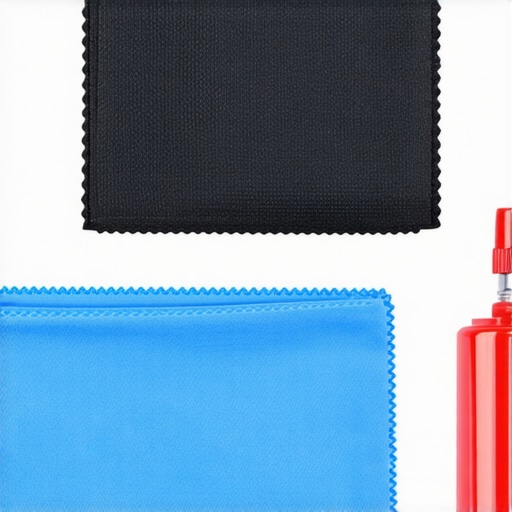
The Hard Truth About Ambient Light and Projector Choices
One of the most underestimated lessons I learned is that no matter how advanced a projector is, ambient light can always make or break your viewing experience. I once believed that a high lumen rating would fix daytime glare issues, but I was sorely mistaken. Effective room darkening, wall treatments, and screen selections play crucial roles in truly maximizing picture quality—lessons that often go unspoken but are invaluable for a cozy home cinema.
The Thin Line Between UST and Short Throw—My Unexpected Revelation
Initially, I thought Ultra Short Throw projectors were the unequivocal winners for small rooms, but I soon discovered subtle drawbacks—sensitivity to reflective surfaces and the need for specialized screens. Conversely, some short throw models offered more flexibility and less fine-tuning, despite needing a bit more space. This realization taught me to evaluate each room’s specifics rather than blindly follow trends, emphasizing that the perfect setup is a tailored masterpiece.
The Overlooked Magic of Room Optimization Over Budget
Investing in a fancy projector is tempting, but I learned that spending wisely on room modifications—like matte wall paint, blackout curtains, and dedicated lighting—can vastly outperform expensive gear alone. It’s about creating a harmonious environment where technology performs at its best. Small adjustments, like wall colors or furniture placement, can elevate your viewing experience, which is a lesson I wish I had grasped sooner.
The Power of Maintaining Your Equipment Beyond Installation
One truth that transformed my approach was realizing regular maintenance isn’t optional—it’s essential. Dusty lenses, misaligned mounts, and outdated firmware can deteriorate quality over time. Using tools like calibration meters and cleaning kits keeps the projector performing as if brand new. Keeping this routine ensures that all my investments in the latest laser TV or UST projector stay worthwhile long-term. It’s a simple, often overlooked step that preserves your cinematic oasis.
Leave a Reply